
A “power supply down” alert on a hyperconverged node looks alarming, and it’s tempting to treat it as a straightforward parts failure: pull the PSU, rack a new one, move on. But that instinct can send you chasing the wrong fix. PSUs fail on their own often enough, but they can also report the exact same alert when the problem is a full step upstream: a loose cable, a dead PDU outlet, or a tripped breaker. Telling the two apart before ordering a replacement part, or scheduling a data center visit for nothing, comes down to reading past the alert text and into the actual electrical readings.
What the Alert Actually Tells You
A typical alert reads something like “Power supply 1 is down on block <chassis serial> (cluster: <cluster name>),” Critical severity, with a description along these lines: the power supply has failed, or its status could not be retrieved because the BMC cannot communicate with the PSU properly, and/or the BMC firmware version may be out of date. Notice that both possible causes listed are about the management controller losing visibility into the PSU, not necessarily the PSU itself being broken. That ambiguity is exactly why the alert text alone isn’t enough to diagnose anything.
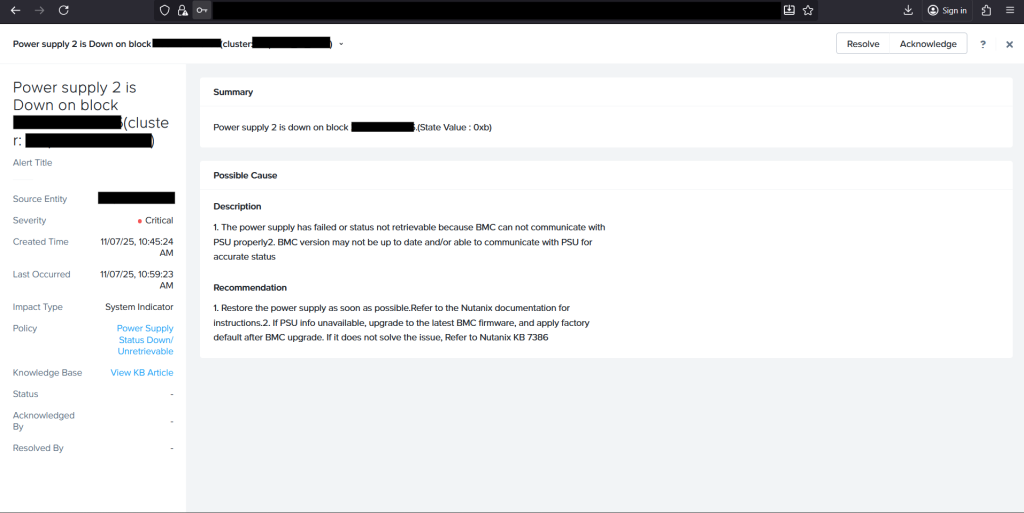
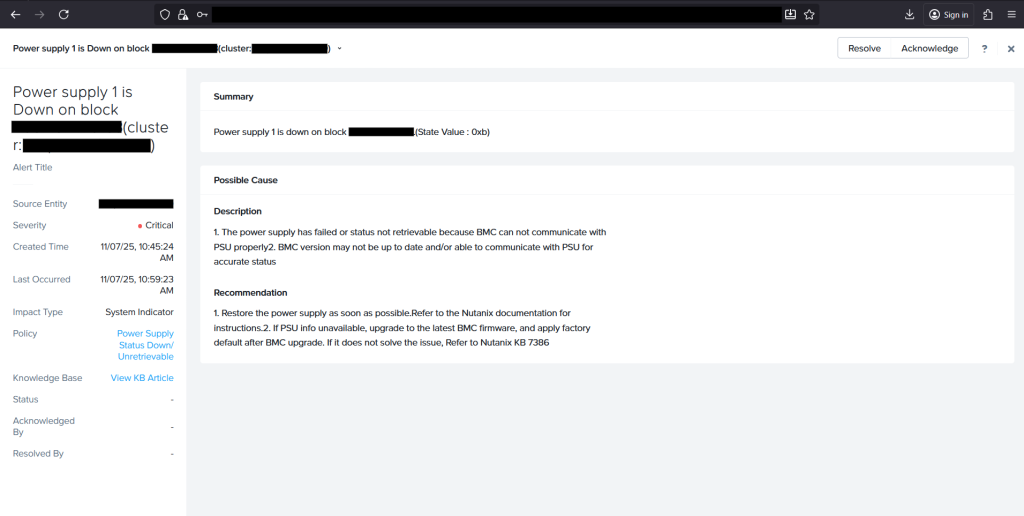
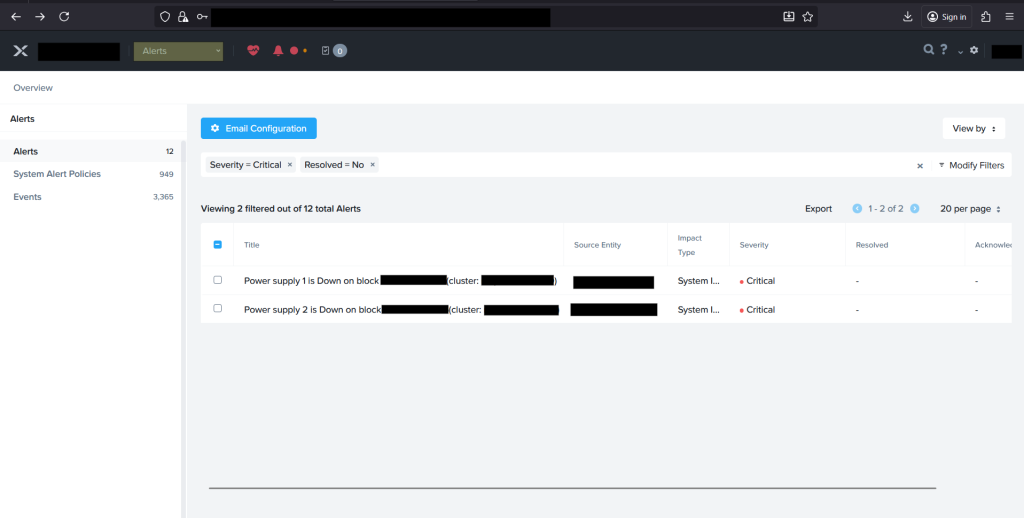
Both alerts were Critical severity, and both were created at essentially the same timestamp on two separate power supply modules. Filtering Prism’s alert list down to Critical and unresolved shows exactly that pairing side by side. Two independent PSUs failing internally at the same instant is possible, but it’s a lot less likely than one shared upstream cause taking both out together. That pattern alone was reason enough to look past the alert banner and pull the actual electrical readings before touching any hardware.
Going Past the Alert: Read the PSU Directly
This is the part that’s easy to skip past, but it’s worth reading the first few times: it tells you whether the automation actually worked, not just whether the drive shows up in a device listing. Tailing the hardware management service’s log during a hot-plug event shows a fairly predictable sequence: the new disk is detected, mounted, passed through a set of add-disk pre-checks, and written into the cluster’s configuration. Pulling the live PMBus status for the affected power modules on the CVM shows readings like these, per module:
[SlaveAddress = 7Ah] [Module 2]
Status                  | [VIN_UV_FAULT][UNIT IS OFF] (48h)
Input Voltage           | 0.0 V
Input Current           | 0.00 A
Main Output Voltage     | 0.00 V
Main Output Current     | 0.00 A
Temperature 1 / 2       | 37C/99F / 34C/93F
Fan 1 / Fan 2           | 0 RPM / 0 RPM
Main Output Power       | 0 W
Input Power             | 0 W
PWS Serial Number       | <redacted>
Current Sharing Control | Active - Active (90)

===== <second node> =====
[SlaveAddress = 78h] [Module 1]
Status                  | [VIN_UV_FAULT][UNIT IS OFF] (48h)
Input Voltage           | 0.0 V
Input Current           | 0.00 A
Reading the Fault Correctly
The key field is the status code: VIN_UV_FAULT, an input under-voltage fault, combined with input voltage and input current both sitting at exactly 0.0 V and 0.00 A. That’s the tell. A genuinely failed PSU that’s still receiving AC input usually shows some input voltage even while its output has collapsed, or it reports an internal fault code with real numbers behind it. Seeing input voltage and current both flatline to zero means the module isn’t receiving any incoming power at all, not “the PSU broke internally,” but “nothing is reaching this PSU’s input in the first place.”
Working the Problem Backward
Once the readings point upstream rather than at the component itself, the troubleshooting order flips from “replace the part” to “trace the feed”:
- Physically check the power cable(s) at both ends — reseated firmly at the PSU and at the PDU/wall receptacle. A cable that’s simply worked loose is the single most common cause of an input under-voltage fault that appears out of nowhere.
- Check the PDU outlet or breaker feeding that PSU. If multiple nodes share a PDU or a circuit, confirm whether that PDU (or its upstream breaker) shows a fault, has tripped, or has simply lost power.
- Confirm redundant feeds independently. Most PSU pairs are wired to two separate power feeds (A-side/B-side) specifically so one feed loss doesn’t take the node down — check that the two feeds for the affected block really are on separate circuits, and that only one side is actually affected.
- Only after physical power delivery is confirmed good end-to-end should you treat it as a genuine PSU hardware fault and move to replacement — and even then, it’s worth updating BMC firmware first and clearing to factory defaults, since the alert’s own “possible cause” text calls out stale BMC firmware as a source of false or unreadable PSU status.