
Nutanix Flow is the microsegmentation and network security layer built into AHV — it lets you write intent-based security policies between VMs and application tiers instead of relying on VLAN-level firewalling. Before any of that is usable, though, two things have to be switched on in Prism Central: the Network Controller, and Microsegmentation itself. On a recent engagement we walked a cluster through exactly that sequence, from a Security Policies page that refused to do anything to a working policy list backed by Flow’s default quarantine policies. This post covers the steps involved, with screenshots from the actual project (customer identifiers and IP addresses have been redacted throughout).
Starting point: Security Policies with nothing to secure
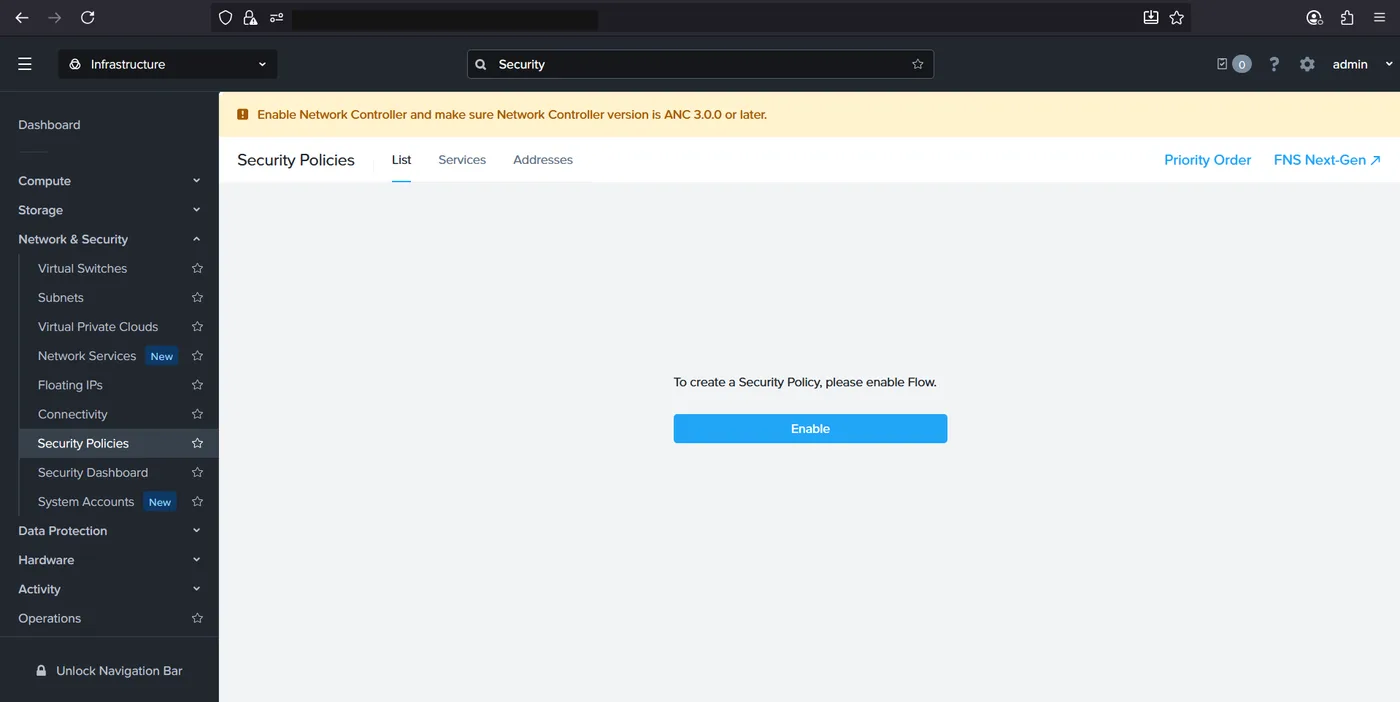
Prism Central’s Security Policies page under Network & Security is where Flow policies live, but visiting it on a cluster that hasn’t been set up yet just shows a single message: “To create a Security Policy, please enable Flow.” A banner above the page spells out the actual prerequisite — Network Controller has to be enabled first, and needs to be on ANC 3.0.0 or later.
Enabling Network Controller
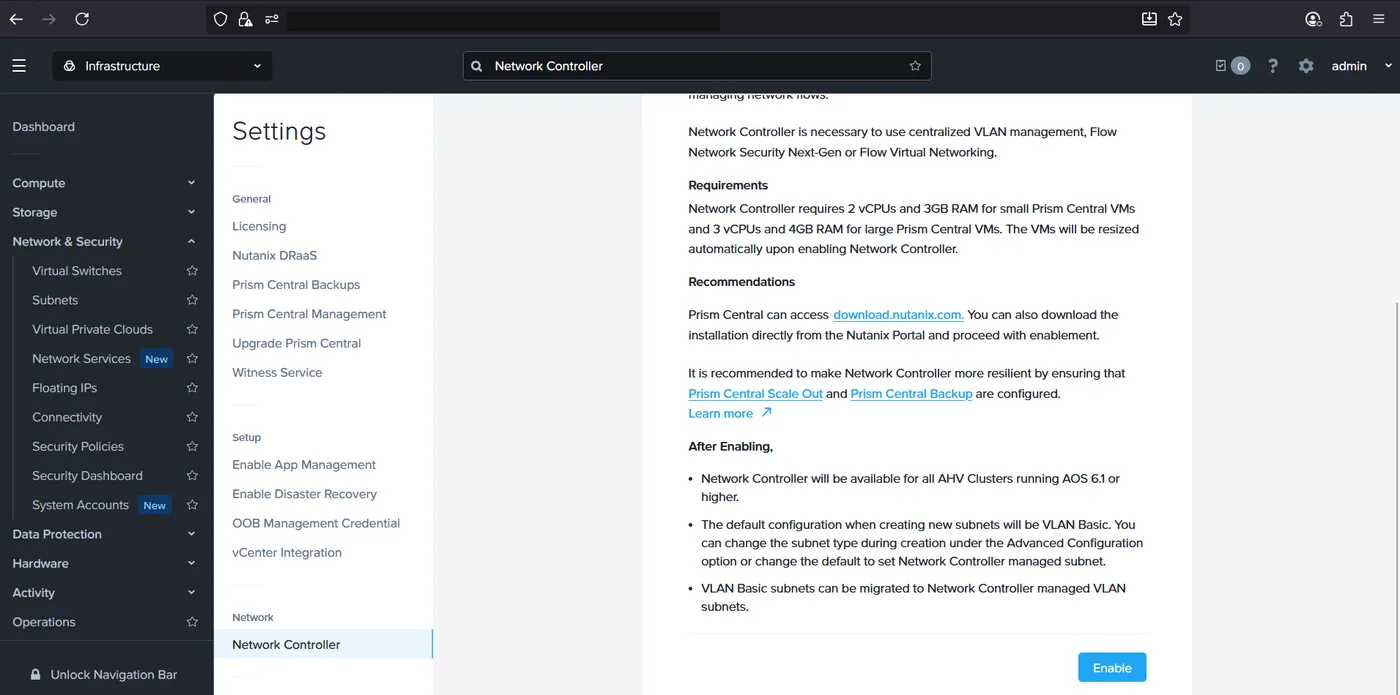
Network Controller (recently renamed from “Advanced Networking”) is Prism Central’s centralized networking service — it’s what backs VLAN management, Flow Virtual Networking, and, relevant here, Flow Network Security Next-Gen. It has its own resource footprint: 2 extra vCPUs and 3GB of RAM for small Prism Central VMs, or 3 vCPUs and 4GB for large ones, resized automatically the moment it’s enabled. Nutanix’s recommendation is to also have Prism Central Scale Out and Prism Central Backup configured for resiliency, though neither is a hard requirement to get started.
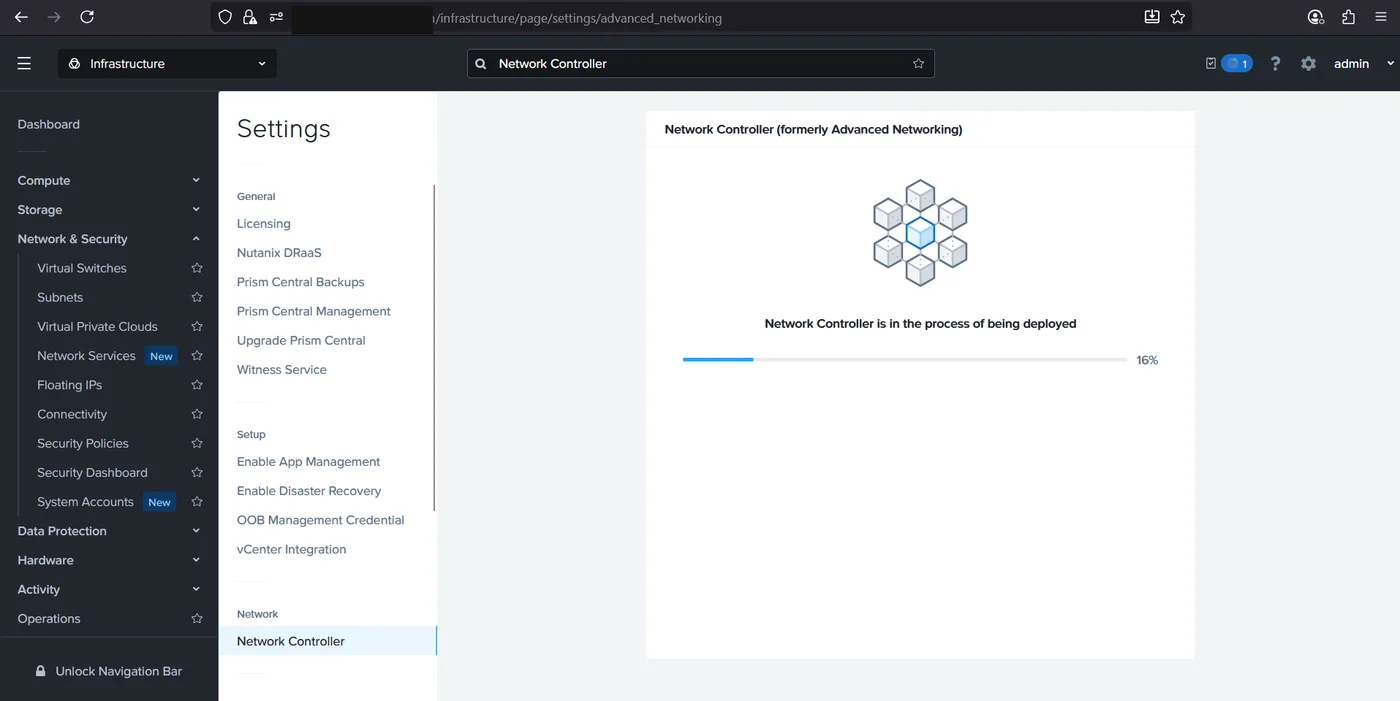
Clicking Enable kicks off a background deployment while Prism Central resizes its own VM and stands up the controller. It’s a short wait, tracked as a percentage right on the same settings page.
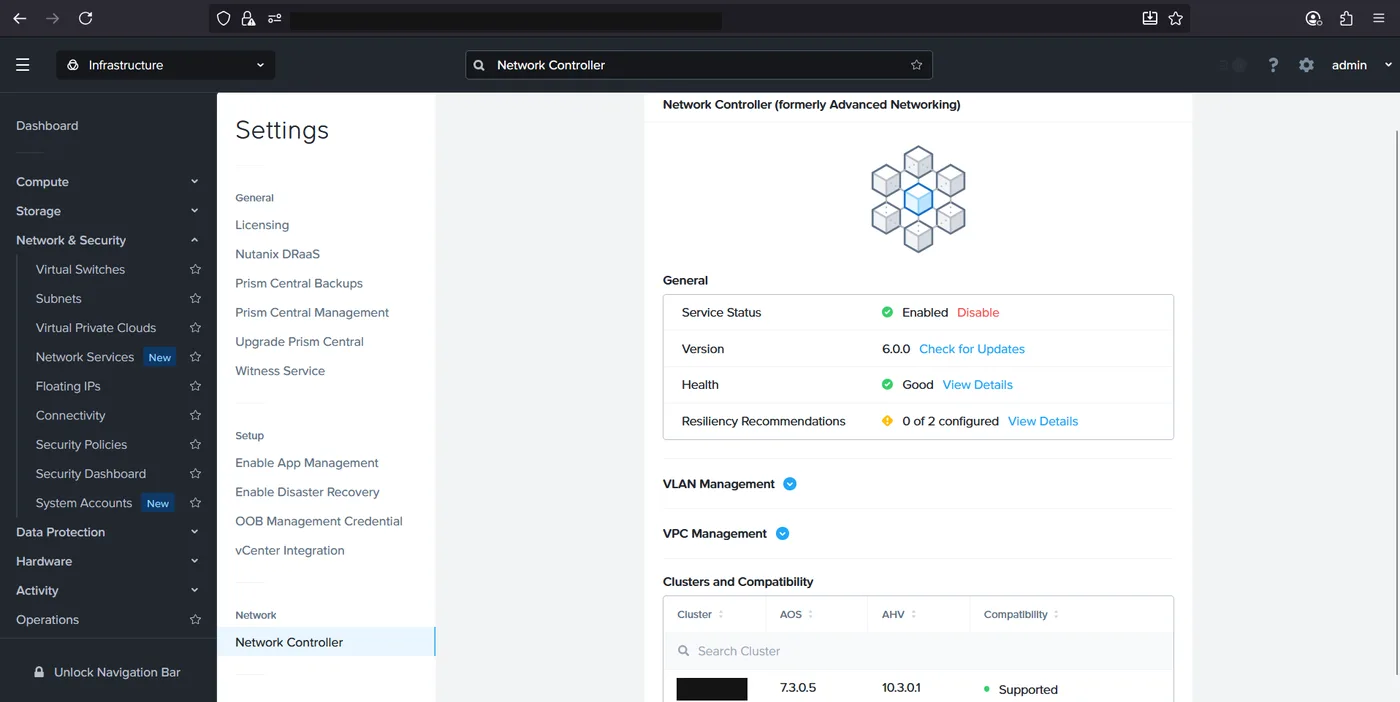
Once it completes, the same page flips to a live status view: Service Status Enabled, a version number, a Health check, and sections for VLAN Management and VPC Management. A Clusters and Compatibility table lists every registered Prism Element cluster next to its AOS and AHV versions and whether it’s compatible with Network Controller — ours came back Supported straight away.
Enabling Microsegmentation
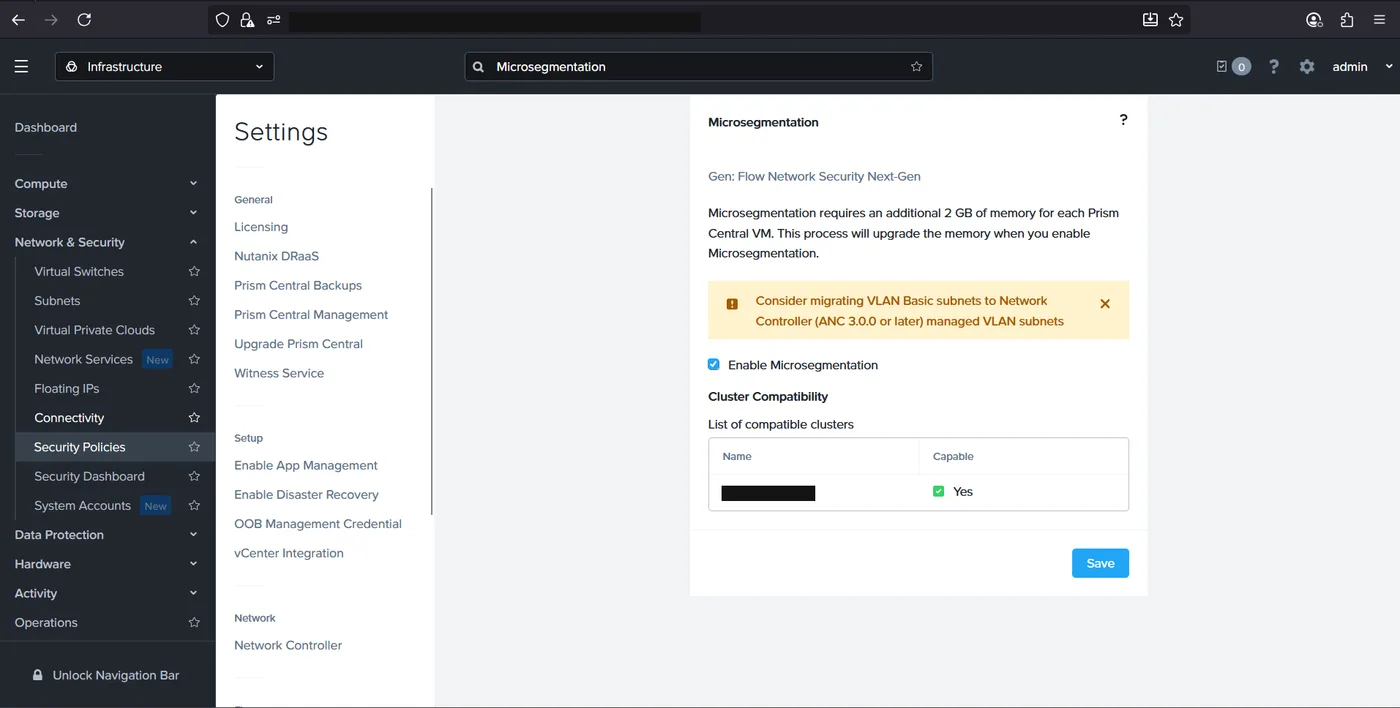
With Network Controller running, the Microsegmentation page (still under Settings) becomes the next stop. This is the specific toggle behind “Flow Network Security Next-Gen” and it carries its own resource cost too — an additional 2GB of memory per Prism Central VM, applied automatically when enabled. The page also nudges toward migrating any VLAN Basic subnets to Network Controller–managed VLAN subnets, since that’s a prerequisite for those subnets to actually be covered by Flow policies later.
Checking the compatibility table here confirms the registered cluster is capable of running microsegmentation before flipping the checkbox and saving.
Flow is live: policies and defaults
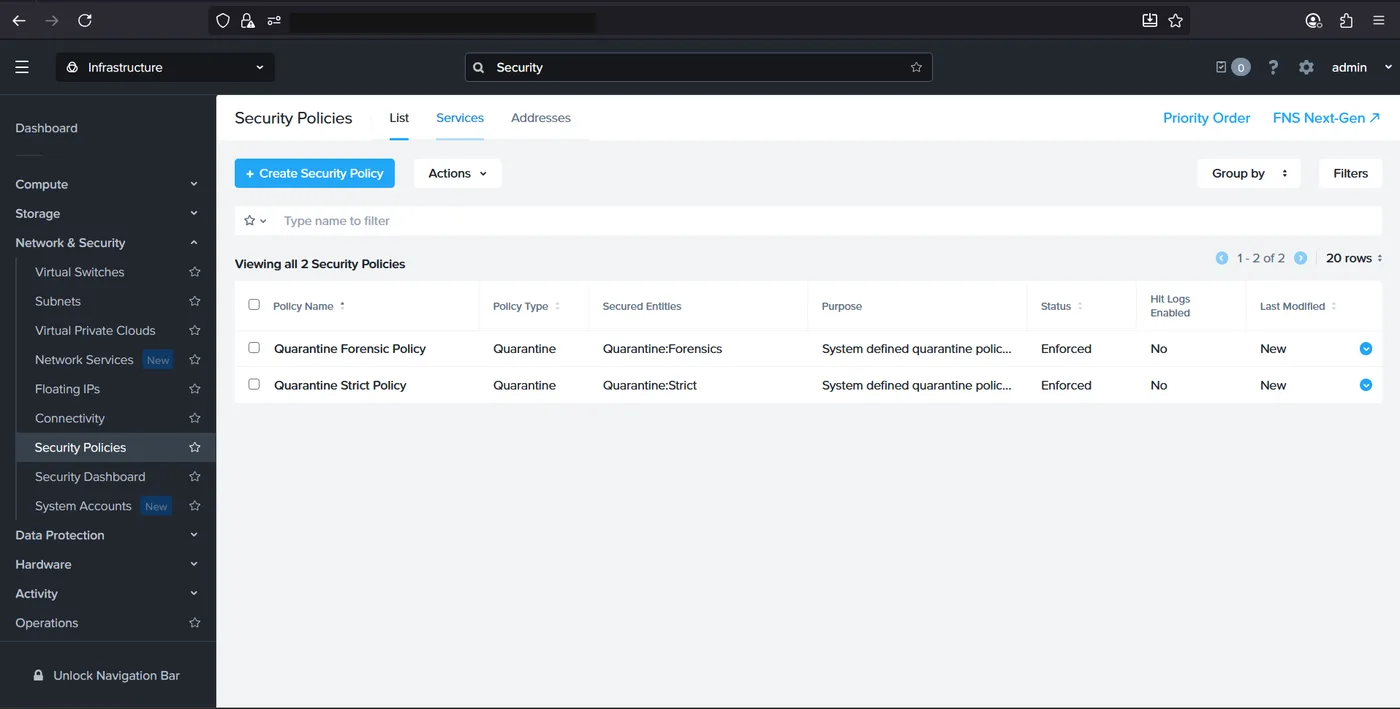
Back on the Security Policies page, the “please enable Flow” message is gone, replaced by the full policy management UI: a Create Security Policy button, bulk Actions, grouping and filtering, and — notably — two policies already sitting there without anyone having created them. These are Nutanix’s system-defined quarantine policies (Quarantine Forensic Policy and Quarantine Strict Policy), shipped enforced by default so that a compromised VM can be isolated for forensics or cut off entirely the moment it’s flagged, without waiting on a custom policy to be written first.
A side note: Intelligent Operations
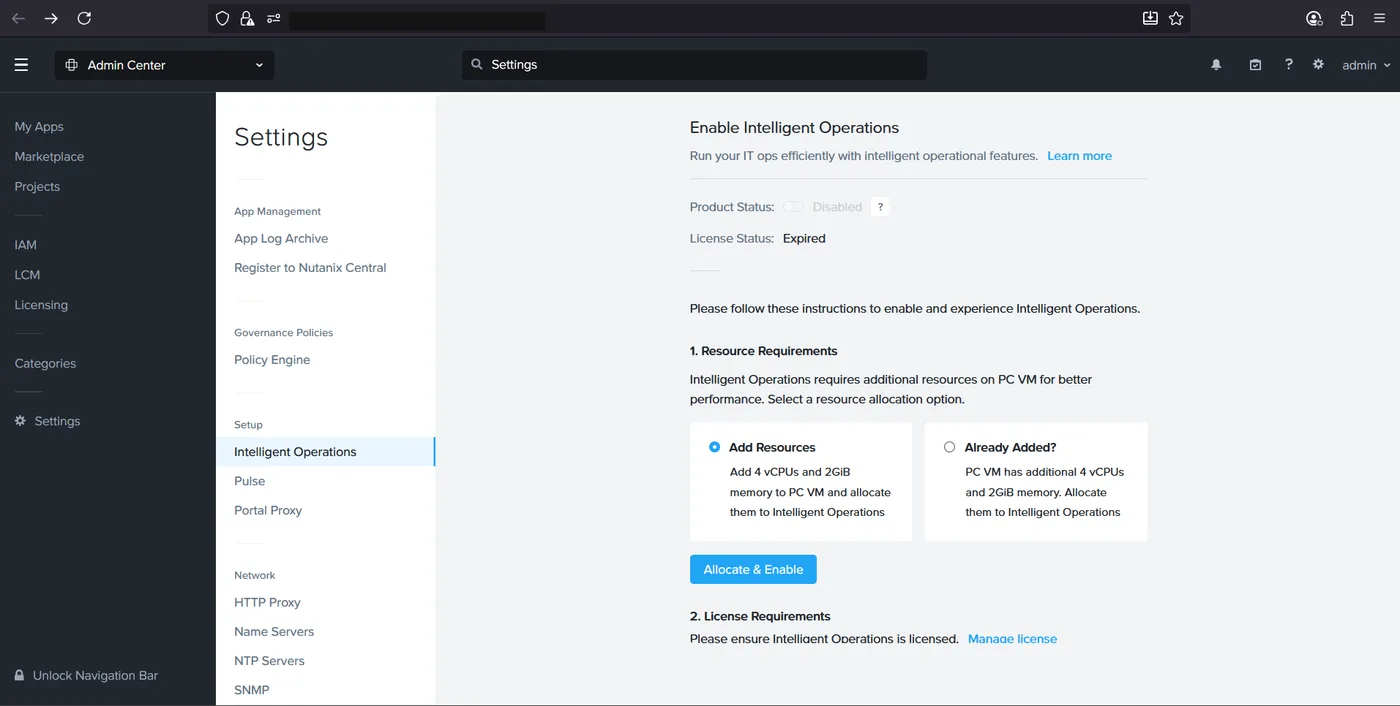
While in Prism Central’s Admin Center settings for this work, we also came across the Intelligent Operations page — a separate, unrelated feature that layers AI-driven operational insights on top of Prism Central, requiring its own additional vCPU and memory allocation and, critically, its own license. In this environment the license had expired, so enabling it wasn’t in scope for this engagement, but it’s worth knowing it lives in the same Settings area as Network Controller and is easy to stumble across while enabling Flow.
Two toggles — Network Controller, then Microsegmentation — took the cluster from a Security Policies page that couldn’t do anything to a fully functional Flow deployment with its default quarantine policies already enforced and ready for custom rules on top.